
Top 10 Transactional Email Services for High Deliverability
October 30, 2026Sending emails is easy, but making sure they reach the recipient’s inbox is a different challenge. Many businesses invest time and money in email marketing campaigns, newsletters, and customer communication, only to find their messages landing in spam folders or getting blocked by email providers.
The problem often lies in the email sending infrastructure. A shared SMTP server may offer a simple and affordable way to send emails, but it can also limit your control over sending reputation, server performance, and email delivery.
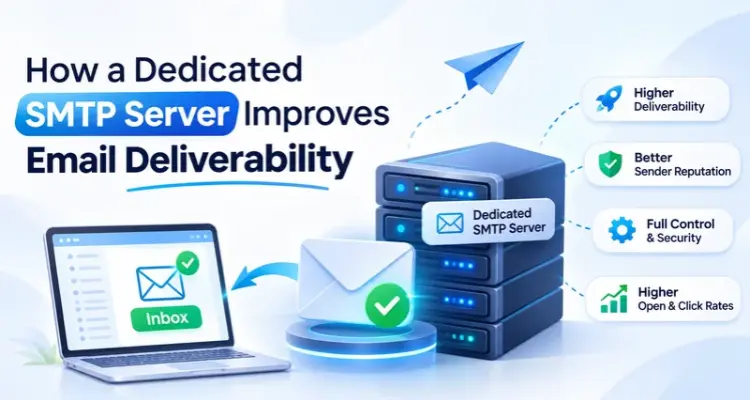
This is why many businesses are moving towards a dedicated SMTP server.
A dedicated SMTP server gives businesses more control over their email sending environment, allowing them to manage sending IPs, configure authentication, monitor delivery performance, and maintain a consistent sending reputation. It is particularly useful for companies that send bulk emails, marketing campaigns, transactional notifications, and regular business emails.
But how exactly does a dedicated SMTP server improve email deliverability? What makes it different from a shared SMTP server, and how can it help your business achieve better inbox placement?
In this guide, we will explore how dedicated SMTP servers work, their key benefits, the factors that affect email deliverability, and the best practices businesses should follow to build a reliable email sending system.
Table of Contents
What Is Email Deliverability?
Email deliverability refers to the ability of an email to reach the recipient’s primary inbox instead of being rejected, blocked, or placed in the spam or junk folder.
It is important to understand that email delivery and email deliverability are not exactly the same.
Email delivery means that the receiving email server has accepted your message.
Email deliverability focuses on whether your message successfully reaches the intended inbox rather than getting filtered into spam or another folder.
For example, imagine that your company sends 10,000 promotional emails to potential customers.
- 10,000 emails are sent from your email server.
- 9,500 emails are accepted by receiving servers.
- 500 emails bounce or get rejected.
- Some of the accepted emails reach the inbox.
- Others may land in spam or junk folders.
Even if most emails are accepted, your campaign may not perform well if a large percentage of messages end up in spam.
Good email deliverability helps businesses make their email campaigns more effective and ensures that important messages have a better opportunity to reach their audience.
Why Is Email Deliverability Important?
Email deliverability directly affects how people receive and interact with your messages.
Here are some important reasons why it matters:
1. Better Marketing Results
When more emails reach the inbox, more people have an opportunity to read your offers, newsletters, and promotional messages.
2. Improved Customer Communication
Businesses depend on email for order updates, account notifications, payment confirmations, and other important information.
3. Higher Campaign Engagement
Inbox placement gives your audience a better chance to open emails, click links, and respond to your campaigns.
4. Better Brand Reputation
Regularly sending useful and relevant emails helps businesses maintain a professional image and build trust with customers.
5. Reduced Email Wastage
Poor deliverability can waste marketing resources because businesses spend time and money sending messages that recipients never see.
What Is a Dedicated SMTP Server?
A dedicated SMTP server is an email sending server configured for the use of a specific business or organization.
SMTP stands for Simple Mail Transfer Protocol. It is the standard protocol used to send emails from one server to another.
When you send an email through an email application or marketing platform, the SMTP server handles the outgoing message and communicates with the receiving mail server.
A dedicated SMTP server gives you greater control over your email sending environment, including server settings, authentication, sending limits, and reputation management.
Depending on the service provider, a dedicated SMTP setup may include:
- Dedicated sending IP address.
- Configurable SMTP authentication.
- Custom sending domains.
- SPF, DKIM, and DMARC support.
- Email sending logs and monitoring.
- Bounce management.
- Sending limits and rate controls.
- Server-level configuration options.
One important point is that a dedicated SMTP server and a dedicated IP address are not always the same thing.
A dedicated SMTP server refers to the sending infrastructure reserved for your use. A dedicated IP address is an IP used exclusively by your organization for sending emails. Some dedicated SMTP services include a dedicated IP, while others may offer different configurations.
This distinction matters because your email deliverability depends on both the sending infrastructure and the reputation of the domains and IP addresses involved.
How Does a Dedicated SMTP Server Work?
A dedicated SMTP server manages the process of sending outgoing emails from your business to recipients.
Here is a simplified explanation:
Step 1: You Create an Email
You prepare an email using your business email application, CRM, website, or email marketing platform.
Step 2: Your Application Connects to the SMTP Server
Your application connects to the SMTP server using the configured SMTP hostname, port, username, and password or another supported authentication method.
Step 3: The SMTP Server Authenticates the Sender
The server verifies the sending application or account to ensure that the email is being submitted through an authorized connection.
Step 4: The Server Processes the Email
The SMTP server checks the message details and determines how to route the outgoing email.
Step 5: The Receiving Server Accepts or Rejects the Message
The sending server communicates with the recipient’s mail server. The receiving server evaluates factors such as sender authentication, domain and IP reputation, message characteristics, and sending behavior.
Step 6: The Email Reaches Its Destination
If the receiving server accepts the message, it may reach the inbox, spam folder, or another filtered location, depending on its filtering decisions.
This entire process happens within seconds in many cases, although temporary server issues, throttling, and other conditions can cause delays.
How a Dedicated SMTP Server Improves Email Deliverability
A dedicated SMTP server can improve email deliverability by giving businesses more control over their sending infrastructure and reputation.
Let’s explore the major benefits in detail.
1. Better Control Over Sender Reputation
Sender reputation is one of the most important factors affecting email deliverability.
Email providers such as Gmail, Outlook, and Yahoo evaluate the reputation of sending domains and IP addresses to determine whether incoming emails should be trusted.
Your sender reputation can be affected by several factors, including:
- Spam complaints.
- Invalid email addresses.
- High bounce rates.
- Sudden increases in sending volume.
- Poor email authentication.
- Suspicious sending patterns.
- Recipient engagement and feedback.
When you use a shared SMTP server, your emails may be sent through infrastructure that is also used by other customers.
Depending on the provider’s setup, poor sending practices by other users sharing the same IP can affect its reputation.
With a dedicated sending IP, you have greater control over the IP’s sending activity and reputation.
For example, if your company sends regular newsletters and transactional emails, you can manage your sending volume, monitor bounce rates, and follow responsible email practices without sharing the same sending IP with unrelated customers.
However, a dedicated IP is not automatically trusted. You must build and maintain its reputation through consistent and responsible sending practices.
2. Reduced Impact From Other Senders
Shared SMTP infrastructure allows multiple customers to send emails through common sending resources.
This arrangement can be cost-effective, especially for small businesses. However, it also means that the reputation of shared infrastructure may be influenced by the sending behavior of multiple users.
Consider this example.
You operate a legitimate business and send useful emails to customers who have subscribed to your newsletter. Another sender using the same shared IP sends unwanted promotional messages to purchased email lists.
If the other sender generates spam complaints or gets the IP blocked, your email campaigns may also experience delivery problems.
A dedicated IP helps reduce this particular risk because other customers do not share your IP reputation.
This gives your business more control over its sending environment.
Business benefit: Your email reputation becomes more closely connected to your own sending practices rather than the behavior of unrelated senders using the same IP.
3. Improved Inbox Placement Opportunities
The main goal of email deliverability is to reach the recipient’s inbox.
A dedicated SMTP server can help businesses maintain a more controlled email sending environment, which supports better inbox placement over time.
It allows you to manage important factors such as:
- Sending frequency.
- Email authentication.
- IP reputation.
- Domain reputation.
- Bounce rates.
- Spam complaints.
- Sending volume.
For example, if your company sends 5,000 emails every day, you can create a consistent sending schedule instead of sending all messages at once.
You can also separate promotional campaigns from important transactional emails when your provider supports different sending configurations.
This makes it easier to monitor performance and identify potential delivery issues.
Remember that inbox placement is ultimately decided by the recipient’s email provider. A dedicated SMTP server improves control, but it cannot guarantee that every message will reach the primary inbox.
4. Better Email Authentication and Security
Email authentication is essential for protecting your sending domain and proving that your messages are authorized.
Without proper authentication, email providers may have difficulty verifying your identity. This can increase the chances of your emails being rejected or marked as suspicious.
A dedicated SMTP setup gives businesses greater flexibility to configure and manage authentication records.
The three most important email authentication technologies are SPF, DKIM, and DMARC.
SPF (Sender Policy Framework)
SPF is a DNS record that identifies which servers are authorized to send emails on behalf of your domain.
For example, if your business uses a dedicated SMTP provider, you can include the provider’s authorized sending infrastructure in your SPF record.
This helps receiving servers verify whether the sending server is permitted to send emails using your domain.
DKIM (DomainKeys Identified Mail)
DKIM adds a digital signature to outgoing emails.
The receiving server uses the corresponding public key published in your domain’s DNS records to verify the signature.
This helps confirm that the message was authorized by the signing domain and that signed parts of the message have not been changed during transit.
DMARC (Domain-based Message Authentication, Reporting, and Conformance)
DMARC builds on SPF and DKIM.
It allows domain owners to publish a policy explaining how receiving servers should handle messages that fail DMARC authentication.
It also supports reporting, helping businesses understand authentication results and identify unauthorized email activity.
Why does this matter?
When SPF, DKIM, and DMARC are configured correctly, receiving email providers have stronger evidence that your messages are legitimate.
This can improve trust in your sending domain and support better email deliverability.
5. Higher Control Over Email Sending Volume
Sending too many emails within a short period can create problems with receiving email providers.
For example, if your business suddenly sends 50,000 emails from a new IP address, receiving servers may treat the unusual activity as suspicious.
A dedicated SMTP server allows you to manage your sending volume more carefully.
Depending on the provider, you may be able to configure:
- Emails sent per hour.
- Emails sent per day.
- Maximum concurrent connections.
- Sending speed.
- Domain-specific sending limits.
- Retry intervals.
- Queue management.
These controls help businesses develop a stable sending pattern.
For example, instead of sending 20,000 emails at once, you can divide the campaign into smaller batches.
This approach can reduce sudden sending spikes and help you manage your sending activity more responsibly.
However, sending limits should always be based on your provider’s policies and the receiving mail servers’ requirements.
6. Better Management of Email Bounces
An email bounce occurs when a message cannot be delivered to its intended recipient.
There are two common types of email bounces.
Hard Bounce: A permanent delivery failure. It may happen because the email address does not exist or the recipient’s domain is invalid.
Soft Bounce: A temporary delivery failure. It may happen because the recipient’s mailbox is full, the receiving server is temporarily unavailable, or the message has been temporarily deferred.
A dedicated SMTP server with proper reporting and bounce management features makes it easier to identify these problems.
You can monitor:
- Invalid email addresses.
- Repeated delivery failures.
- Temporary server errors.
- Blocked messages.
- Rejected email requests.
For example, if your business repeatedly sends emails to invalid addresses, your bounce rate may increase and negatively affect your sending reputation.
By monitoring bounce reports and removing permanently invalid addresses, you can maintain a cleaner email list.
This helps improve the overall quality of your email campaigns.
7. Improved Email Sending Speed and Performance
Businesses often need to send large numbers of emails within a limited period.
For example:
- E-commerce companies send order confirmations.
- Educational institutions send admission updates.
- Financial companies send account notifications.
- Marketing agencies send newsletters and promotional campaigns.
- SaaS companies send verification links and password reset emails.
A dedicated SMTP server can provide more predictable access to sending resources, depending on its hardware, network capacity, and configuration.
Unlike shared environments where sending capacity may be distributed among multiple customers, dedicated infrastructure allows businesses to plan their email workloads more effectively.
It can also support optimized queue management and connection handling.
For organizations with high email volumes, this can make email operations more reliable.
However, actual sending speed depends on the SMTP provider, server configuration, network performance, sending limits, and receiving server restrictions.
8. Better Monitoring and Email Tracking
You cannot improve email deliverability if you do not understand what is happening to your emails.
A good dedicated SMTP service provides access to detailed sending reports and monitoring tools.
These reports help businesses understand their email performance.
Some important metrics include:
| Metric | What It Measures |
| Delivery Rate | Percentage of sent emails accepted by receiving servers |
| Bounce Rate | Percentage of emails that could not be delivered |
| Spam Complaint Rate | Percentage of recipients who report emails as spam |
| Open Rate | Estimated percentage of recipients who open tracked emails |
| Click Rate | Percentage of recipients who click tracked links |
| Rejection Rate | Percentage of messages rejected by receiving servers |
| Deferred Emails | Messages temporarily delayed by receiving servers |
These insights help businesses identify problems before they become serious.
For example, if your bounce rate suddenly increases, you can check your email list quality.
If your rejection rate increases, you can investigate IP reputation, authentication, sending patterns, and provider responses.
If inbox placement declines, you can review your content, domain reputation, recipient engagement, and sending practices.
Monitoring makes your email marketing strategy more data-driven.
9. Better Separation of Marketing and Transactional Emails
Marketing emails and transactional emails serve different purposes.
Marketing emails include:
- Promotional offers.
- Product announcements.
- Newsletters.
- Discount campaigns.
- Event invitations.
- Lead generation emails.
Transactional emails include:
- Order confirmations.
- Payment notifications.
- Password reset links.
- Account verification emails.
- Shipping updates.
- Booking confirmations.
Both types are important, but their sending requirements may differ.
A dedicated SMTP infrastructure can help businesses create separate sending configurations for different email categories.
For example, a company can use different subdomains or sending IPs for marketing and transactional communication.
This helps isolate sending activity and makes it easier to monitor reputation and delivery performance.
If a promotional campaign experiences a sudden increase in spam complaints, separating transactional email infrastructure can help reduce the risk of those issues affecting important customer notifications.
However, proper separation requires thoughtful configuration and consistent authentication across all sending domains.
10. More Flexibility and Customization
Every business has different email sending requirements.
A small business may send a few thousand emails every month, while a large organization may send millions of transactional and marketing messages.
A dedicated SMTP server gives businesses greater flexibility to configure their sending environment according to their needs.
Depending on the service provider, you may be able to customize:
- SMTP ports.
- Authentication methods.
- Sending domains.
- IP configurations.
- Email routing.
- Sending limits.
- Queue settings.
- TLS encryption.
- Bounce handling.
- Server monitoring.
This flexibility is especially useful for businesses that operate multiple websites, applications, or email marketing campaigns.
It also makes it easier for developers and technical teams to integrate SMTP services into their existing systems.
Dedicated SMTP Server vs. Shared SMTP Server
Choosing between a dedicated SMTP server and a shared SMTP server depends on your business size, email volume, budget, and technical requirements.
Let’s understand the main differences.
| Feature | Dedicated SMTP Server | Shared SMTP Server |
| Sending IP | May include an exclusive IP | Often shared with other users |
| Reputation Control | Greater control over dedicated IP reputation | Reputation may be influenced by other senders |
| Customization | Usually more configuration flexibility | Depends on provider limitations |
| Sending Limits | Can offer customized limits | Often subject to shared account limits |
| Monitoring | Dedicated sending activity can be monitored | May include shared infrastructure reporting |
| Scalability | Suitable for businesses with growing email requirements | Suitable for smaller or moderate sending needs |
| Cost | Generally higher | Generally more affordable |
| Management | May require more technical management | Often easier to get started |
Which One Should You Choose?
A shared SMTP server can be a good option for small businesses, startups, and organizations with moderate email volumes.
A dedicated SMTP server may be more suitable for:
- Businesses sending large email volumes.
- Email marketing agencies managing multiple campaigns.
- E-commerce companies with regular transactional emails.
- SaaS platforms sending automated notifications.
- Enterprises requiring greater infrastructure control.
- Organizations that need dedicated IP reputation management.
The right choice depends on your actual sending needs. A well-managed shared SMTP service can outperform a poorly managed dedicated server.
Important Factors That Affect Dedicated SMTP Server Deliverability
Having a dedicated SMTP server is only one part of a successful email delivery strategy.
To get the best results, businesses must follow proper email sending practices.
Here are some important factors to consider.
1. IP Warming
When you start using a new dedicated IP address, it does not have an established sending reputation.
You should not immediately send a large volume of emails from a new IP.
Instead, follow an IP warming process.
IP warming means gradually increasing email sending volume over time while monitoring delivery performance.
For example:
- Start with a small number of emails.
- Monitor bounce rates and server responses.
- Gradually increase sending volume.
- Maintain consistent sending patterns.
- Monitor spam complaints and reputation signals.
The exact warming schedule depends on your email volume, provider recommendations, recipient engagement, and sending history.
The goal is to establish a reliable sending pattern rather than creating sudden traffic spikes.
2. Maintain a Clean Email List
Email list quality plays a major role in deliverability.
Sending emails to invalid, inactive, or unwanted addresses can increase bounce rates and spam complaints.
To maintain a healthy email list:
- Remove permanently invalid addresses.
- Use confirmed opt-in where appropriate.
- Avoid purchased or scraped email lists.
- Remove recipients who repeatedly generate hard bounces.
- Review inactive subscribers.
- Make unsubscribe options easy to find.
- Respect recipient preferences and consent requirements.
A clean email list helps businesses reach people who actually want to receive their messages.
3. Create Relevant Email Content
Email content can also influence spam filtering.
Messages containing misleading subject lines, deceptive links, suspicious attachments, or excessive promotional language may raise concerns.
Follow these best practices:
- Write clear and relevant subject lines.
- Use professional email formatting.
- Avoid misleading promotional claims.
- Include your business identity.
- Use trustworthy links.
- Maintain a healthy text-to-image balance.
- Provide a clear unsubscribe option for marketing emails.
Your goal should be to create emails that provide genuine value to recipients.
4. Configure Reverse DNS
Reverse DNS, also known as rDNS, maps an IP address back to a hostname.
For example, a sending IP address may have a reverse DNS record pointing to a mail server hostname.
Proper reverse DNS configuration helps identify the sending server and supports professional mail server configuration.
For dedicated SMTP servers, it is important to ensure that the reverse DNS record is correctly configured and consistent with the server’s identity.
5. Use TLS Encryption
TLS stands for Transport Layer Security.
It helps protect email communication between servers by encrypting data during transmission when supported by both sides.
A properly configured SMTP server should support secure connections using appropriate TLS settings.
This helps protect sensitive information while emails travel between systems.
6. Monitor Domain and IP Reputation
Your sending domain and IP address both play important roles in email deliverability.
Businesses should regularly monitor their reputation and investigate sudden changes.
You can use tools such as:
- Google Postmaster Tools.
- Microsoft SNDS.
- MXToolbox.
- DMARC reporting platforms.
- SMTP provider analytics dashboards.
These tools can help identify authentication issues, reputation problems, blocklisting, and other delivery concerns.
Who Needs a Dedicated SMTP Server?
A dedicated SMTP server is not limited to large enterprises. Many types of businesses can benefit from having more control over their email infrastructure.
Let’s look at some common examples.
1. Digital Marketing Agencies
Digital marketing agencies regularly send newsletters, promotional campaigns, client updates, and lead nurturing emails.
A dedicated SMTP setup can help agencies manage their sending activity and monitor the performance of different campaigns.
2. E-commerce Businesses
Online stores depend on email to communicate with customers.
They send order confirmations, payment updates, shipping notifications, discount offers, and abandoned cart reminders.
Reliable email delivery helps customers stay informed throughout their buying journey.
3. SaaS Companies
Software companies use email for account verification, password resets, product updates, subscription notifications, and automated alerts.
A dedicated SMTP infrastructure can support these communication requirements.
4. Educational Institutions
Schools, colleges, and training organizations send admission updates, examination notifications, event invitations, and course-related information.
Reliable email infrastructure helps them communicate important updates with students and parents.
5. Financial and Professional Services
Financial organizations, consultants, and professional service providers often depend on email for important business communication.
A properly configured SMTP setup can support consistent delivery and secure email transmission.
Common Mistakes That Can Damage Email Deliverability
Even with a dedicated SMTP server, businesses can experience poor deliverability if they follow incorrect email practices.
Here are some common mistakes to avoid.
1. Sending Too Many Emails Too Quickly
Sudden increases in sending volume can trigger additional scrutiny from receiving email providers.
2. Using Purchased Email Lists
Purchased lists often contain invalid, outdated, or uninterested contacts. They can increase bounce rates and spam complaints.
3. Ignoring SPF, DKIM, and DMARC
Missing or incorrect authentication records can make it difficult for receiving servers to verify your emails.
4. Not Monitoring Bounce Rates
Repeatedly sending emails to invalid addresses can damage your sender reputation.
5. Using Misleading Subject Lines
Unclear or deceptive subject lines can reduce recipient trust and increase spam complaints.
6. Ignoring Unsubscribe Requests
Marketing emails should provide a simple way for recipients to unsubscribe. Businesses must also process unsubscribe requests promptly and comply with applicable email marketing regulations.
7. Not Warming Up a New IP
Sending a large volume of emails from a new dedicated IP without establishing a sending reputation can create deliverability challenges.
Avoiding these mistakes can help businesses get better results from their dedicated SMTP infrastructure.
How to Choose the Right Dedicated SMTP Server Provider
Selecting the right SMTP provider is an important decision for any business that depends on email communication.
Not all SMTP providers offer the same infrastructure, features, or support.
Before choosing a provider, consider the following factors.
1. Dedicated IP Availability
Check whether the provider offers a dedicated sending IP and whether it is included in your selected plan.
Also, ask about IP reputation, provisioning, and warming support.
2. Email Sending Limits
Understand how many emails you can send per hour, day, or month.
Choose a provider that can support your current requirements and future growth.
3. Authentication Support
Ensure the provider supports SPF, DKIM, DMARC, and secure SMTP authentication.
4. Delivery Monitoring
Look for detailed email logs, bounce reports, delivery statistics, and error tracking.
5. Security Features
Check whether the provider supports TLS encryption, secure authentication, access controls, and appropriate server security measures.
6. Technical Support
Reliable technical support is important when you experience delivery failures, SMTP errors, or authentication problems.
Choose a provider that offers timely assistance and clear troubleshooting guidance.
7. Scalability
Your email requirements may increase as your business grows.
Choose an SMTP solution that can support higher sending volumes without requiring a complete change in infrastructure.
8. Pricing and Value
Compare pricing based on sending volume, dedicated IP availability, technical support, server resources, and additional features.
Do not choose a provider based only on the lowest price. Infrastructure quality and reputation management are equally important.
Why Businesses Should Invest in a Dedicated SMTP Server
Email remains an important communication channel for modern businesses.
From lead generation and customer retention to automated notifications and business operations, companies need a reliable email sending system.
A dedicated SMTP server can provide several long-term advantages.
Greater Infrastructure Control: Businesses can manage their sending environment according to their requirements.
Better Reputation Management: A dedicated IP allows businesses to build and monitor their own IP reputation.
More Predictable Sending: Dedicated resources and configurable sending limits can support consistent email operations.
Improved Monitoring: Detailed logs and delivery reports make it easier to identify and resolve problems.
Business Scalability: Dedicated SMTP infrastructure can support growing email requirements when properly configured.
For companies that depend heavily on email, investing in a reliable SMTP solution can help build a stronger communication foundation.
Conclusion
Email deliverability is an important part of successful business communication. Sending thousands of emails is not enough if those messages fail to reach the intended recipients.
A dedicated SMTP server gives businesses greater control over their email sending infrastructure, IP reputation, authentication, sending limits, and performance monitoring.
It can help reduce dependence on shared sending resources, support consistent sending practices, and provide better visibility into email delivery problems.
However, choosing a dedicated SMTP server is only the beginning. Businesses must also maintain clean email lists, configure SPF, DKIM, and DMARC correctly, warm up new IP addresses, monitor sender reputation, and send relevant emails to interested recipients.
When combined with the right email strategy and infrastructure, a dedicated SMTP server can become a valuable investment for businesses looking to improve email deliverability and build reliable customer communication.
Looking for a reliable SMTP solution for your business? Choose an SMTP service provider that offers dependable infrastructure, dedicated IP options, strong authentication support, transparent monitoring, and expert technical assistance. The right solution can help your business manage email communication more effectively as it grows.
Frequently Asked Questions (FAQs)
A dedicated SMTP server is an email sending server configured for the use of a specific business or organization. It provides greater control over sending infrastructure, configuration, and email management.
Yes, it can improve email deliverability by providing greater control over sending resources, IP reputation, authentication, and sending behavior. However, good deliverability also depends on email list quality, domain reputation, content, and recipient engagement.
A dedicated SMTP server provides sending infrastructure reserved for one customer, while a shared SMTP server allows multiple customers to use common sending resources. Dedicated setups may offer greater control over sending reputation and configuration.
No. A dedicated IP is not necessary for every business. Low-volume senders may achieve better results with a reputable shared IP pool. Dedicated IPs are more useful for businesses with consistent sending volumes and the resources to manage their reputation.
The warming period depends on sending volume, provider recommendations, and recipient engagement. It may take several days or weeks to establish a reliable sending pattern. The process should be gradual and monitored carefully.
No SMTP server can guarantee that every email will reach the inbox. A dedicated setup can help businesses manage their sending reputation and authentication, but spam filtering decisions are controlled by receiving email providers.
SPF identifies authorized sending servers, DKIM verifies a domain-based digital signature, and DMARC defines how receiving servers should handle messages that fail authentication checks. Together, they help protect email domains and establish sender identity.
Yes, it can be suitable for legitimate bulk email campaigns, provided the provider allows the intended volume and the business follows responsible sending practices, authentication requirements, and applicable email marketing regulations.
You can monitor bounce rates, rejection rates, spam complaints, delivery reports, and domain reputation. Tools such as Google Postmaster Tools, Microsoft SNDS, and SMTP provider dashboards can provide useful insights.
Yes. A dedicated SMTP infrastructure can support both transactional and marketing emails. However, separating these email types through different domains, subdomains, or sending IPs can make reputation management easier.