
10 Best Bulk Email Delivery Services with High Inbox Rates
October 8, 2026
Sending more emails won’t save your inbox placement. It’ll sink it further. If your open rates keep sliding and your messages are landing in promotions or spam instead of the inbox, you’re not alone, and you’re not out of options. Most marketers assume the fix is obvious: send more, test more subject lines, push harder. That instinct usually backfires. When you’re trying to improve email deliverability, volume is rarely the answer. It’s often the exact thing making things worse.
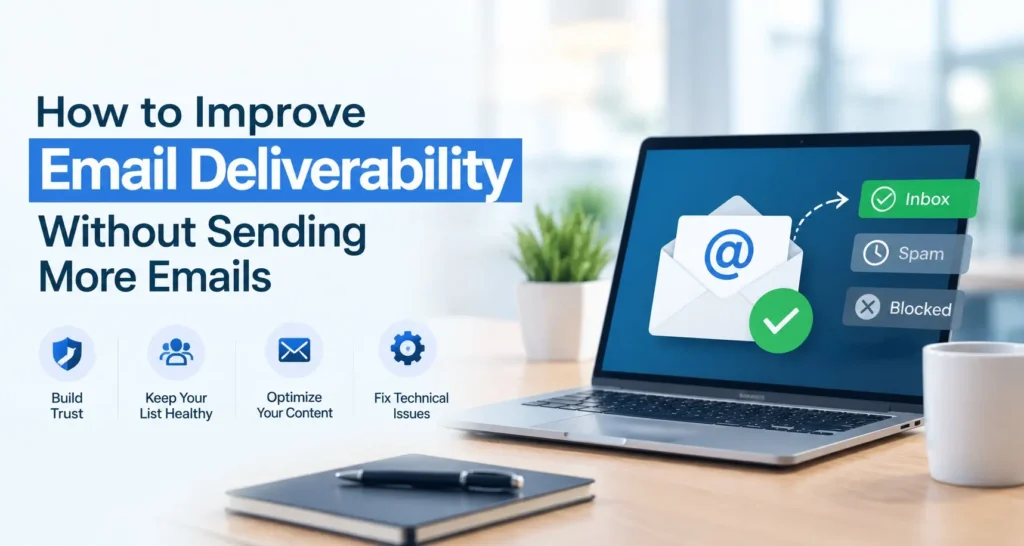
Deliverability isn’t about how much you send. It’s about trust. Gmail, Outlook, and Yahoo watch how people actually engage with your emails, then decide whether your next one earns a spot in the inbox. This guide shows how to improve email deliverability without sending a single extra email, just smarter ones.
Table of Contents
What Is Email Deliverability Really?
Email deliverability means getting your emails into the recipient’s primary inbox, not just “delivered” in a technical sense. There’s a real difference between an email being accepted by a server and one actually landing where the reader will see it.
People often confuse deliverability with delivery. Delivery just means the email reached the mail server. Deliverability means it reached the inbox itself, not spam, not a hidden tab, not a filtered folder.
To improve email deliverability, keep these points in mind:
- A 99% delivery rate can still hide poor inbox placement
- Low open rates often signal emails quietly landing in spam
- Tracking inbox placement matters more than tracking delivery alone
That’s why senders who improve email deliverability early avoid costly surprises later.
The Silent Trap Killing Your Inbox Placement
It feels intuitive: if fewer people are opening your emails, send more to compensate. But ISPs don’t reward volume, they reward engagement and consistency. This is a common mistake among people trying to increase email deliverability without fixing the real issue first.
Here’s what typically happens when you raise sending frequency without addressing the root cause:
- Unsubscribe and spam complaint rates climb
- Open rates drop further as more emails go unread
- Email sender reputation takes a hit with mailbox providers
- Future emails, even good ones, get flagged more aggressively
Mailbox providers track patterns over time. If engagement is already weak, flooding inboxes just confirms you’re not worth prioritizing. This is one of the most common improved email deliverability issues senders face, especially in cold email deliverability, and it’s almost always self-inflicted. To truly improve email deliverability, fix the cause, not the volume.
The Real Levers That Improve Email Deliverability
Instead of chasing volume, focus on the factors ISPs actually use to judge your email sender reputation. These are the areas that move the needle.
1. Clean Your Email List Regularly
A bloated list full of inactive, invalid, or disengaged addresses is one of the fastest ways to tank your sender score. Every bounce, every spam complaint, and every unopened email tells the ISP something negative about you.
Practical steps to take:
- Remove hard bounces immediately after every send
- Suppress subscribers who haven’t opened or clicked in 90 to 120 days
- Run a re-engagement campaign before fully removing dormant contacts
- Use double opt-in for new signups to avoid fake or mistyped addresses
A smaller, engaged list will always outperform a large, stale one. If you’re serious about wanting to improve, list hygiene is one of the fastest, lowest-effort wins available, and this single habit alone can increase email deliverability more than any subject line tweak ever will.
2. Fix Your Authentication Setup (SPF, DKIM, DMARC)
This part is technical, but it’s non-negotiable. If your domain isn’t properly authenticated, ISPs have no reliable way to confirm you are who you say you are, and unverified senders get treated with suspicion by default.
- SPF (Sender Policy Framework) tells receiving servers which mail servers are allowed to send on your domain’s behalf.
- DKIM (DomainKeys Identified Mail) adds a digital signature that proves your email wasn’t altered in transit.
- DMARC (Domain-based Message Authentication, Reporting & Conformance) ties SPF and DKIM together and tells receiving servers what to do if a message fails authentication.
If any of these are missing or misconfigured, you’re leaving a serious gap that makes it harder to improve deliverability. Many senders don’t discover this until years into running a domain, often finding their DMARC record was never set up correctly. Platforms like DigitalAka™ can help catch these gaps early, since diagnosing authentication issues without the right tools is genuinely hard for non-technical teams.
3. Warm Up New Domains and IPs Properly
If you’re starting fresh with a new sending domain, sudden bursts of volume look suspicious to ISPs. A brand-new domain jumping from zero to ten thousand emails overnight is a major red flag.
Instead:
- Start with a small, highly engaged segment of your list
- Scale volume gradually over 2 to 4 weeks
- Monitor engagement closely before increasing send size
This is one of the best for cold outreach, where reputations are built from scratch. It’s also considered a top improve email deliverability habit, since senders who skip warm-up often see emails buried in spam within the first week.
4. Pay Attention to Engagement, Not Just Opens
Open rates alone don’t tell the full story anymore, especially with Apple’s Mail Privacy Protection inflating open metrics artificially. What actually matters to ISPs is genuine interaction: clicks, replies, and time spent reading. Ignoring this is one of the most common improved email deliverability issues senders overlook.
To boost real engagement without sending more:
- Segment your audience so content is genuinely relevant to each group
- Ask questions that invite replies, a strong positive signal
- Personalize beyond a first name; reference actual behavior or interests
- Time sends around when your audience is actually active, not just convenient for you
5. Audit Your Content for Spam Triggers
Spam filters have evolved far beyond simple keyword blocking, but certain patterns still raise flags. If your emails are consistently underperforming, this is often where improved email deliverability issues actually start. Take a hard look at:
- Excessive use of ALL CAPS or exclamation points
- Broken or mismatched links, where the text says one thing and the URL goes elsewhere
- Large images with little to no actual text
- Misleading subject lines that don’t match the email body
- Too many links crammed into a single message
None of these fixes require sending a single extra email. They only require editing what you’re already sending.
How to Diagnose Email Deliverability Issues Before They Get Worse
Most senders don’t realize they have a problem until their numbers have already tanked. Catching issues early is far easier than recovering from a damaged sender reputation, and it’s one of the fastest ways to improve email deliverability before real damage sets in.
A simple diagnostic checklist:
- Check your sender score using a reputation monitoring tool
- Run a seed test across Gmail, Outlook, and Yahoo to see where emails actually land
- Review your bounce rate, anything above 2% needs immediate attention
- Check spam complaint rates, staying under 0.1% is the generally accepted safe threshold
- Verify blocklist status to confirm your domain or IP hasn’t been flagged
The Habits Behind Consistently Strong Inbox Placement
Fixing deliverability isn’t a one-time task. It’s an ongoing discipline. These habits separate senders with consistently strong inbox placement from those who struggle month after month, and together they form some of the best improved email deliverability practices worth adopting early.
- Maintain Sending Consistency: Sudden spikes or long gaps confuse ISPs. Go silent for two months, then blast your list, and expect a dip. Consistency builds trust over time.
- Keep Your List Permission-Based: Purchased lists destroy sender reputation fast. Non-opted-in recipients mark emails as spam quickly, and a handful of complaints can undo months of work.
- Monitor Your Metrics Weekly: Deliverability problems compound. A dip caught early is a quick fix; left unchecked for months, it means rebuilding your reputation from scratch, and it’s a leading cause of unresolved improved email deliverability issues.
- Separate Transactional and Marketing Streams: Use subdomains to protect critical transactional deliverability from underperforming campaigns.
Master these four habits, and deliverability stops being a mystery; it becomes a metric you actually control.
Cold Email Deliverability Deserves Special Attention
Cold email plays by different rules than newsletter or lifecycle marketing. You’re reaching people with no prior relationship to your brand, so ISPs scrutinize these messages more closely from the start. This makes cold email marketing deliverability one of the toughest areas to get right.
To protect it specifically:
- Never use your primary company domain for high-volume cold outreach; use a dedicated subdomain instead
- Keep daily sending limits low, especially in the first few weeks
- Personalize every message meaningfully; generic templates get flagged faster
- Avoid spintax and overly “salesy” language patterns filters have learned to recognize
- Track reply rates closely, since replies are the strongest trust signal for cold domains
Cold email is unforgiving of shortcuts. Senders who consistently improve email deliverability in this space treat it as a long-term reputation project, not a numbers game, which is exactly why cold email deliverability demands more discipline than any other channel.
Common Mistakes That Quietly Hurt Deliverability
Even experienced teams fall into these traps that make it harder to improve email deliverability:
- Ignoring inactive subscribers instead of suppressing or re-engaging them
- Skipping authentication checks after switching email service providers
- Using URL shorteners that spam filters don’t recognize or trust
- Sending from a “noreply” address, which signals a low-trust relationship
- Forgetting to test across multiple inbox providers before launch
Each of these is fixable without touching the send frequency. Fixing them is often the fastest way to improve email deliverability issues that have quietly built up over time, boosting results, not volume.
Why Senders Trust DigitalAka™ to Stay Ahead of Deliverability Problems
Most deliverability issues don’t announce themselves. They show up quietly, with a slightly lower open rate here and a missed inbox placement there, until the damage is already done. That’s exactly the gap DigitalAka™ was built to close, helping teams improve email deliverability before small warning signs turn into real damage.
Instead of piecing together separate tools, DigitalAka™ brings authentication checks, blocklist monitoring, and reputation tracking into one place, covering some of the best improved email deliverability practices in a single dashboard.
What DigitalAka™ helps you monitor:
- SPF, DKIM, and DMARC configuration
- Sender reputation trends that help increase email deliverability over time
- Blocklist status across major providers
- Bounce rate and spam complaint patterns tied to common improve email deliverability issues
- Inbox placement testing for both regular sends and cold email deliverability
This is one of the top solutions for teams without a dedicated specialist, especially those trying to improve email deliverability for emails sent from newer domains or switching providers.
Conclusion
Fixing deliverability was never about sending more, it’s about sending smarter. Clean lists, solid authentication, gradual warm-up, genuine engagement, and consistent monitoring do more for your inbox placement than doubling your volume ever could. When you focus on these fundamentals, you naturally improve email deliverability without adding a single extra send to your calendar.
The senders who win long-term treat deliverability as an ongoing habit, not a one-time fix. Catch small warning signs early, and you’ll never have to rebuild a reputation from scratch.
If you want a simpler way to improve email deliverability and stay ahead of hidden issues, DigitalAka™ brings authentication checks, reputation tracking, and inbox monitoring together in one place. Explore DigitalAka™ and start protecting your sender reputation today.
Frequently Asked Questions
Still have questions about how to improve email deliverability? Here are quick, practical answers to the ones senders ask most often.
Cleaning your list, fixing SPF, DKIM, and DMARC records, and monitoring engagement weekly are the fastest ways to improve email deliverability without increasing send volume or risking your sender reputation.
No. Sending more emails usually lowers engagement and increases spam complaints, which hurts sender reputation. To increase email deliverability, focus on relevance and consistency instead of frequency.
Poor list hygiene, missing authentication records, inconsistent sending patterns, and spam-triggering content are the most common improve email deliverability issues senders face across both marketing and transactional emails.
Cold email deliverability requires dedicated subdomains, slower warm-up, low daily limits, and careful personalization, since ISPs scrutinize messages sent to recipients with no prior relationship more closely.
The best improved email deliverability practices for beginners include list cleaning, proper authentication setup, gradual domain warm-up, and tracking bounce and complaint rates weekly, not quarterly.
Yes. DigitalAka helps improve email deliverability for emails by monitoring authentication, sender reputation, blocklist status, and inbox placement, all from one centralized dashboard built for growing teams.
Consistent sending schedules, permission-based lists, and separating transactional from marketing streams are considered top improve email deliverability strategies that build lasting sender trust over time.
Check weekly, not quarterly. Deliverability problems compound quickly, and catching improved email deliverability issues early is far easier than rebuilding a damaged sender reputation from scratch later.
Yes. Proper authentication proves your identity to ISPs and significantly helps increase email deliverability, since unverified senders are automatically treated with more suspicion by mailbox providers.
Yes. DigitalAka centralizes authentication checks, reputation tracking, and inbox testing, making it easier to monitor cold email deliverability and catch warning signs before campaigns lose momentum.