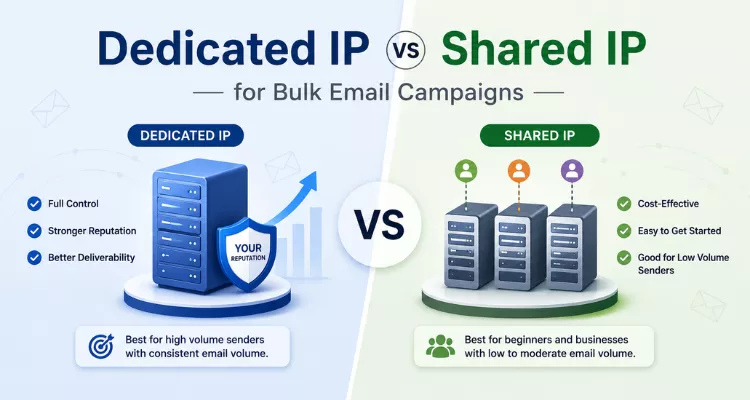

Dedicated IP vs Shared IP for Bulk Email Campaigns
June 23, 2026
10 Best Mass Mailing Service Providers for Inbox Success
July 22, 2026Email Sender Reputation: A Complete Guide to Better Deliverability
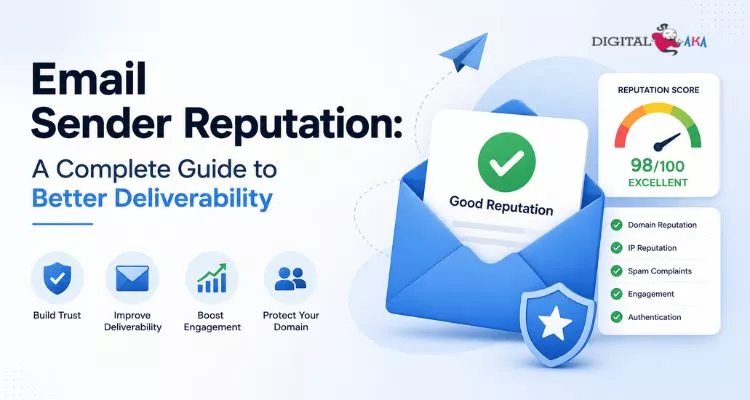
email sender reputation impacts inbox placement, deliverability, and email marketing success
What if the biggest reason your email campaigns fail has nothing to do with your content, offer, or timing? Many businesses spend hours crafting the perfect email, only to find that their messages never reach the inbox. The hidden factor behind this problem is often email sender reputation.
A strong email sender reputation helps your emails land where they belong, while a poor reputation can push even valuable messages into spam folders. As email providers like Gmail, Outlook, and Yahoo continue to tighten their filtering systems, maintaining a healthy reputation has become essential for email marketing success. In this guide, you’ll learn what email sender reputation is, why it matters, how to check it, and the most effective strategies to improve it for long-term deliverability and engagement.
Table of Contents
What Is Email Sender Reputation?
Email sender reputation is a trust score that Internet service providers (ISPs) and email clients assign to your sending domain and IP address. Think of it as a credit score for your email program. The stronger your email sending reputation, the more likely your emails are to reach subscribers’ inboxes. A poor reputation, however, can cause emails to be delayed, filtered, or sent directly to spam folders.
This score is built over time based on your sending behavior. Every email campaign influences your email sender domain reputation, either positively or negatively. Mailbox providers analyze multiple signals to determine whether your messages deserve inbox placement.
Key Factors That Influence Your Sender Reputation
- Spam complaint rates: When recipients mark emails as spam, providers immediately lower trust levels.
- Bounce rates: High numbers of invalid addresses can damage your email sender reputation.
- Engagement rates: Opens, clicks, and replies strengthen sender reputation email marketing performance.
- Unsubscribe rates: Sudden increases may indicate irrelevant content or excessive email frequency.
- Spam trap hits: Sending to trap addresses is a major warning sign for ISPs.
- Sending volume consistency: Unexpected spikes often trigger spam filters.
- Authentication records: Proper SPF, DKIM, and DMARC configuration supports a healthy email sending reputation.
- List quality: Maintaining a clean, permission-based email list improves long-term deliverability.
To maintain strong inbox placement, marketers should regularly perform an email sender reputation check and check email sending reputation metrics using trusted tools. Understanding how to check email sender reputation and how to improve email sender reputation helps businesses protect deliverability, increase engagement, and achieve better email marketing results.
Why Email Sender Reputation Matters More Than Ever
Inbox providers have become increasingly sophisticated, making email sender reputation a critical factor in email deliverability. Today, providers like Gmail, Outlook, and Yahoo analyze engagement signals such as opens, clicks, replies, spam complaints, and user interactions to evaluate your email sending reputation.
The importance of sender reputation in email marketing grew significantly after stricter requirements for bulk email senders were introduced, including email authentication, easy unsubscribe options, and low spam complaint thresholds. These standards make maintaining a strong email sender domain reputation more important than ever.
Why It Matters
- Improves inbox placement and email visibility
- Increases engagement and conversion rates
- Reduces spam folder placement
- Strengthens long-term email sender reputation
Businesses that regularly perform an email sender reputation check and understand how to improve email sender reputation are far more likely to achieve consistent email marketing success.
How to Check Email Sender Reputation
Monitoring your reputation is not optional. You need to know where you stand before you can improve anything. Fortunately, several reliable tools let you check email sender reputation for free.
Tools to Check Your Sender Reputation
1. Google Postmaster Tools: This is the most important tool for marketers sending to Gmail users. Google Postmaster gives you direct insight into your domain reputation and IP reputation from Google’s perspective. You will see data on spam rates, authentication, and delivery errors.
To use it, verify ownership of your sending domain and start monitoring your reputation dashboard regularly.
2. Sender Score by Validity: Sender Score assigns your IP a score from 0 to 100. A score above 80 is generally considered healthy. Scores below 70 are a warning sign, and anything under 50 typically means you are experiencing serious deliverability problems.
3. MXToolbox: MXToolbox lets you run a blacklist check against dozens of major blacklists simultaneously. If your domain or IP appears on any of them, you will see it here, along with instructions for requesting removal.
4. BarracudaCentral: Barracuda maintains its own IP reputation database and offers a free lookup tool. It is especially useful if a significant portion of your audience uses corporate email systems protected by Barracuda filters.
5. Talos Intelligence (by Cisco): Cisco Talos is one of the largest threat intelligence networks in the world. Their reputation lookup tool shows whether your IP is rated as good, neutral, or poor and provides historical reputation data.
What to Look For When You Check Email Sending Reputation
When conducting a sender reputation check, focus on these areas:
- Your domain reputation rating (Good, Medium, Low, or Bad)
- Whether your IP appears on major blacklists
- Spam complaint rates over the past 30 days
- Email Authentication pass rates for SPF, DKIM, and DMARC
- Delivery errors and the reasons behind them
Make checking your reputation a monthly habit or weekly if you are a high-volume sender.
Understanding Email Sender Domain Reputation
Your email sender domain reputation is separate from your IP reputation, though both matter. Domain reputation is tied to the actual sending domain in your “From” address and is increasingly the metric that inbox providers weigh most heavily.
Here is why this matters: if you switch sending IPs (which some senders do to try to escape poor IP reputation), your domain reputation follows you. You cannot run from a damaged domain reputation by simply changing IPs.
Domain-level reputation is tracked through signals like the following:
- How long your domain has been active
- Whether your domain is properly authenticated
- The volume and consistency of mail sent from your domain
- Engagement patterns from recipients at major ISPs
- Whether your domain has ever been flagged for phishing or spam
This is why maintaining clean sending practices over the long term is the only sustainable strategy. There are no shortcuts to building a strong domain reputation, only consistent, responsible sending.
How to Improve Email Sender Reputation
If your reputation needs work, the good news is that it is recoverable. The path to improvement requires discipline and time, but the results are worth it.
1. Authenticate Your Emails Properly
Start with the basics. Make sure your domain has valid SPF, DKIM, and DMARC records configured correctly.
- SPF (Sender Policy Framework): Specifies which IP addresses are authorized to send email on behalf of your domain.
- DKIM (DomainKeys Identified Mail): Adds a cryptographic signature to your emails that verifies they have not been tampered with in transit.
- DMARC (Domain-based Message Authentication, Reporting, and Conformance): Tells inbox providers what to do when emails fail SPF or DKIM checks and sends you reports about your authentication status.
These three records work together to prove to inbox providers that you are a legitimate sender. Without them, your emails are far more likely to be treated with suspicion.
2. Keep Your List Clean
List hygiene is one of the most direct ways to protect your sender reputation. A dirty list full of invalid addresses, spam traps, and disengaged contacts will drag your reputation down fast.
Best practices for list hygiene include:
- Using double opt-in at signup to confirm every subscriber is real and interested
- Removing hard bounces immediately after each campaign
- Running your list through an email verification service every three to six months
- Sunsetting subscribers who have not engaged in six or more months
- Never purchasing email lists ever
3. Manage Your Sending Frequency and Volume
Sudden increases in email volume can negatively impact your email sender reputation, especially for new or low-volume domains. To avoid triggering spam filters, gradually increase your sending volume through a proper warm-up process.
Best practices include:
- Start by sending emails to your most engaged subscribers.
- Increase volume steadily over 2 to 4 weeks.
- Maintain a consistent sending schedule.
- Monitor engagement and complaint rates regularly.
Inbox providers view consistent sending behavior as a sign of trust. In contrast, sending no emails for months and then launching a large campaign can damage your email sending reputation and reduce inbox placement rates.
4. Monitor and Reduce Complaint Rates
Your spam complaint rate is one of the most heavily weighted signals in inbox provider algorithms. Google’s and Yahoo’s requirements set a maximum threshold of 0.10% for sustained sending and 0.30% as an absolute ceiling before deliverability starts to suffer severely.
To keep complaint rates low:
- Make your unsubscribe process easy and instant
- Only send to people who explicitly opted in to your list
- Set clear expectations at signup about what emails subscribers will receive and how often
- Honour unsubscribe requests immediately; never delay or question them
- Regularly review your content to make sure it matches what subscribers signed up for
5. Improve Engagement Rates
Engagement is a positive reputation signal. When subscribers open, click, and reply to your emails, you are building credibility with inbox providers.
Practical ways to lift engagement:
- Segment your list so people only receive relevant content
- Personalise subject lines and content beyond just using a first name
- Test send times and find when your audience is most active
- Send fewer, better emails rather than high-frequency, low-value blasts
- Use re-engagement campaigns before sunsetting inactive subscribers; give them one last chance to show interest
6. Handle Bounces Aggressively
Managing bounces is essential for maintaining a strong email sender reputation. Remove hard bounces immediately, as these addresses are permanently invalid. Soft bounces should be monitored closely and removed if they occur repeatedly.
Key practices include the following:
- Remove all hard-bounce addresses promptly.
- Monitor recurring soft bounces.
- Verify email addresses during signup.
High bounce rates can harm your email sending reputation and signal poor list management to mailbox providers.
7. Set Up Feedback Loops
Feedback loops help protect your email sender reputation by alerting you when recipients mark emails as spam.
Best practices:
- Register for ISP feedback loop programs.
- Remove complaining subscribers immediately.
- Monitor complaint trends regularly.
Acting quickly on feedback helps maintain a healthy email sending reputation.
How Long Does It Take to Repair a Damaged Reputation?
Recovering a damaged email sending reputation is not an overnight process. The recovery timeline depends on the severity of the issue and how consistently you follow email deliverability best practices.
- Mild reputation issues: Recovery may take 4 to 8 weeks if you clean your email list, reduce complaints, and improve subscriber engagement.
- Moderate reputation damage: Expect 2 to 3 months of consistent sending and reputation monitoring.
- Severe reputation problems: If your domain has been blacklisted, received high spam complaints, or hit spam traps, recovery can take 3 to 6 months or longer.
To accelerate improvement:
- Remove inactive subscribers
- Authenticate emails with SPF, DKIM, and DMARC
- Monitor sender reputation regularly
- Send only relevant, permission-based content
A strong email sender reputation is rebuilt through trust, consistency, and responsible sending practices.
DigitalAka™: Your Email Marketing Growth Partner
Keeping up a solid email sender reputation is very essential in the current cutthroat mailbox environment. Businesses require the appropriate approach and knowledge to achieve consistent mailbox placement, increased engagement, and improved campaign performance. DigitalAka™ can help with that.
DigitalAka™ is a results-driven email marketing platform that helps businesses strengthen their email sending reputation and maximize the effectiveness of their email campaigns. Whether you are a startup, e-commerce brand, or enterprise organization, the platform provides practical solutions designed to improve deliverability and long-term marketing success.
What DigitalAka™ Offers
- Email deliverability consulting tailored to your business needs
- List hygiene and verification services to protect your email sender domain reputation
- SPF, DKIM, and DMARC authentication setup and optimization
- Advanced email sender reputation check and monitoring solutions
- Audience segmentation and campaign optimization strategies
- Dedicated IP warm-up programs for growing email senders
- Deliverability audits and actionable performance recommendations
Why Choose DigitalAka™?
DigitalAka™ combines technical expertise with real-world email marketing experience. The platform focuses on helping businesses understand how to check email sender reputation, identify deliverability risks, and implement strategies that drive measurable results.
Key benefits include the following:
- Data-driven insights instead of guesswork
- Transparent reporting and performance tracking
- Expert guidance on how to improve email sender reputation
- Ongoing support for deliverability challenges
- Proven methods for strengthening sender reputation email marketing performance
For businesses that regularly check email sending reputation metrics and want to build a trusted email program, DigitalAka™ offers the expertise and tools needed to improve inbox placement, increase engagement, and turn email marketing into a reliable growth channel.
Conclusion
Success in email marketing depends on more than compelling content and attractive designs. Deliverability, engagement, and long-term performance are heavily influenced by the strength of your email sender reputation. By maintaining clean email lists, implementing proper authentication protocols, monitoring key metrics, and following responsible sending practices, businesses can improve inbox placement and build greater trust with mailbox providers.
Remember, a strong email sender reputation is not built overnight. It requires consistency, subscriber-focused communication, and ongoing optimization. The effort, however, is well worth it, leading to higher open rates, stronger customer relationships, and better marketing results.
If you’re ready to improve deliverability and maximize the impact of your email campaigns, DigitalAka™ can help. Explore expert solutions and proven strategies to transform your email marketing into a reliable growth channel.
FAQs:
A Sender Score above 80 is generally considered strong and supports better email deliverability. DigitalAka™ helps businesses monitor and maintain healthy sender reputation scores through expert deliverability strategies.
You can use tools like Google Postmaster Tools, Sender Score, MXToolbox, BarracudaCentral, and Cisco Talos to monitor your reputation.
Yes. By maintaining list hygiene, reducing spam complaints, and setting up proper authentication, most senders can gradually recover their reputation. DigitalAka™ provides expert guidance to accelerate this process.
Domain reputation is linked to your sending domain, while IP reputation is associated with the server IP used to send emails. Both influence deliverability. DigitalAka™ helps businesses optimize both for better inbox placement.
A strong reputation helps emails reach the inbox, while a poor reputation increases the chances of messages being filtered, delayed, or sent to spam. DigitalAka™ offers solutions to improve deliverability and protect sender trust.
A strong sender reputation email marketing strategy improves inbox placement, engagement, and overall campaign performance.
An email sender reputation check should be performed at least once a month, or weekly for high-volume senders. DigitalAka provides monitoring solutions to help businesses stay ahead of deliverability issues.
You can check email sending reputation using tools such as Google Postmaster Tools, Sender Score, and MXToolbox.
Your email sender domain reputation is influenced by spam complaints, engagement rates, authentication records, and list quality.
To improve email sender reputation, focus on list hygiene, email authentication, reducing complaints, and sending relevant content consistently. DigitalAka™ can help implement these best practices for faster and more sustainable results.