B2B vs. B2C Email Deliverability in 2025: Easy Tips That Help
June 23, 2025
Email Authentication: How This Improves Your Security and Deliverability
July 1, 2025Have you ever wondered why some emails simply confirm your order, while others try to sell you something new? That’s because there are two main types of emails that businesses send—Transactional Email vs. Marketing Email. Both land in your inbox, but they serve very different purposes.
Transactional emails are the helpful ones. They provide you with important information, such as order confirmations, password resets, or shipping updates. These emails are sent after you take an action and are primarily about service, not sales. On the other hand, marketing emails are designed to promote a specific product or service. These include offers, newsletters, product updates, and deals. The main goal is to get your attention and encourage you to take action, like buying something or signing up.
Understanding Transactional Email vs. Marketing Email is important whether you’re a business owner, a marketer, or just curious about why your inbox looks the way it does. In this blog, we’ll break down the key differences, uses, and best practices for each type of email. Let’s get started and make it simple to understand!
Table of Contents
Introduction to email types
When we talk about types of emails, we usually mean two main kinds: marketing emails and transactional emails. Transactional Email vs. Marketing Email is a common comparison in the email world, as both serve very different purposes.
Marketing emails include things like campaign messages, promotional offers, and newsletters. These are sent to promote something or keep your audience updated. Transactional emails, on the other hand, are automatic messages sent after a user takes action, like a password reset or order confirmation.
Let’s take a closer look at both of these email types to understand the real difference.
Read More: B2B vs. B2C Email Deliverability in 2025
What is Transactional Email?
Almost everyone has seen a transactional email, even if they didn’t know the name. These emails are like helpful assistants, automatically sent when a user takes a specific action. They are not for promotions, they’re for delivering important information right when the user needs it.
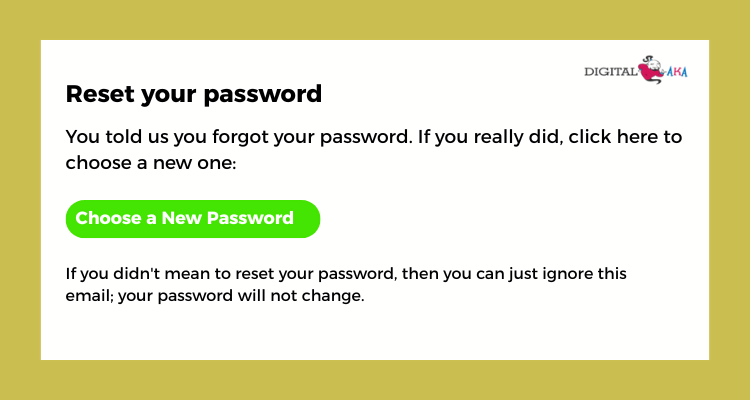
Transactional emails include messages like password reset links, order confirmations, shipping updates, welcome emails, or receipts after a purchase. These emails are usually one-to-one, meaning they are sent to one user based on their action on a website, app, or service. For example, if you forget your password and click “Reset,” the email you receive with a new link is transactional. These emails are often expected immediately, so speed and timing are very important.
People rely on these emails to keep track of their accounts, orders, or updates. That’s why businesses need to make sure these messages are sent fast and without errors. If delayed, users may feel confused or frustrated. While marketing emails try to sell something, transactional emails focus on service and trust. They build a smooth user experience when done right, and they should always be automated and clear.
Read More: Best 13 B2B Cold Email Templates to generate more sales
What are Marketing Emails?
Marketing emails are emails sent to promote your products, services, or brand. These are commercial messages that help you reach both new and existing customers. These emails are typically sent to individuals who have subscribed or agreed to receive updates from your business.
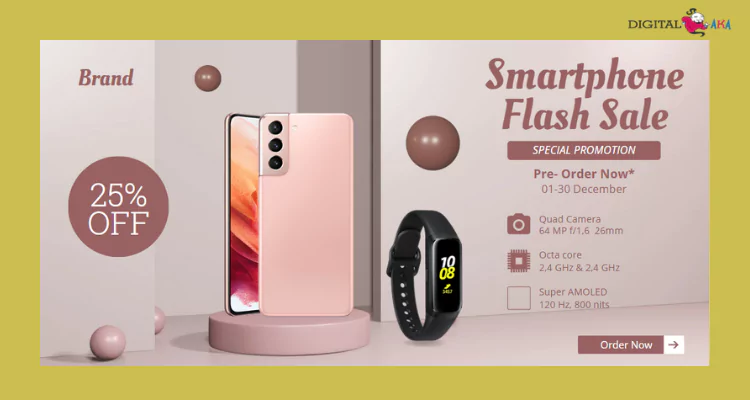
These emails can include newsletters, promotional offers, product updates, sales announcements, blog highlights, and invitations. Gmail users may find that many of these emails go straight to the ‘Promotions’ tab. One of the most important rules of marketing emails is that your users must want to receive them. To build trust and improve your sender reputation, use a double opt-in (where users confirm their subscription) and always include a simple unsubscribe link.
Marketing emails are powerful because they help you connect directly with your audience. When done right, they can increase customer loyalty and bring a great return on investment (ROI). But if done wrong, like spamming people, they can harm your business image and affect your email deliverability.
So, always follow email marketing best practices. Use clear content, get permission before sending, and make it easy for people to unsubscribe. This keeps your audience happy and your business growing.
Read More: Cold Emails vs Warm Emails- When and How to Use Them Effectively
Key differences between transactional emails and marketing emails
When it comes to email communication, businesses usually send two types of emails: transactional emails and marketing emails. Both are important, but serve different purposes. In the discussion of marketing email vs transactional email, it’s key to understand their unique roles in simple words.
Transactional emails are sent to share important information and are triggered by a user’s action. For example, when you sign up for a website, reset a password, or make a purchase, you receive a transactional email. It may include your order number, shipping status, or account update. These emails are personal, one-to-one, and usually not promotional.
On the other hand, marketing emails are designed to promote products, services, or offers. They are sent to many people at once and aim to grab attention. Examples include discount offers, product updates, newsletters, or holiday promotions. The main goal is to increase engagement, clicks, and sales. Understanding marketing email vs transactional email helps businesses use the right message for the right purpose.
Here are some simple points to understand the difference:
- Purpose: Transactional emails inform; marketing emails promote.
- Recipients: Transactional emails go to individuals; marketing emails go to a list.
- Content: Transactional emails provide service updates or confirmations, while marketing emails focus on promoting products or driving sales.
- Permission: You don’t need marketing permission for transactional emails, but for marketing emails, you need user consent.
Understanding these differences helps businesses follow email rules and build better relationships with customers. Use each email type wisely to improve communication and grow trust.
How to send transactional emails?
Sending transactional emails becomes easy when you follow the correct steps. These emails are sent automatically when a user takes an action, like signing up or buying something. To send them, first choose an email service provider like DigitalAka, SMTPget, Mailgun, or SendGrid. These tools help send emails safely and quickly.
Next, connect your website or app to the email service provider using an API or SMTP server. Then, create a clean email template for each purpose, such as password reset, order confirmation, or welcome emails.
Make sure the email is short, clear, and only shares useful information. Use your company name and logo to create a sense of trust. Don’t forget to test the email before sending it to real users. Finally, check delivery reports to make sure your emails are reaching inboxes. When set up properly, transactional emails can enhance user trust and improve the overall experience.
How to send Marketing emails?
Sending marketing emails is a smart way to promote your products or services. Start by creating a list of people who are interested in hearing from you. These could be your existing customers or individuals who sign up through your website. Always get their permission before sending emails.
Next, choose an email marketing tool like Digitalaka, Mailchimp, SMTPget, or Sendinblue. You can easily design, deliver, and track emails using these tools. Write a catchy subject line to grab attention. Your message should be clear, short, and include a call-to-action (like “Buy Now” or “Learn More”). Include your logo, visuals, and promotional offers to make the email more appealing. Always preview and test it before sending to ensure everything looks perfect. Lastly, send your email and check the results—open rates, clicks, and responses. This helps you improve your next campaign. Keep your emails helpful and friendly to get the best results.
How can you improve your email reputation using the SMTP mail server for marketing vs transactional emails?
Improving your email reputation is crucial to make sure your emails land in the inbox instead of the spam folder. One smart way to do this is by using an SMTP mail server and keeping marketing emails separate from transactional emails. These are automated emails sent in response to user activities like making a purchase or changing a password. These emails are expected and usually opened quickly. They help build trust and boost your email reputation because people find them useful.
Marketing emails, on the other hand, promote offers, new products, or services. Since these emails are more promotional, users might ignore or even mark them as spam if not targeted properly. This is why managing them carefully is so important. Using an SMTP mail server lets you set up separate IPs or domains for both types of emails. This means your promotional emails won’t harm the good reputation built by your transactional emails. It also allows better control, faster delivery, and detailed tracking.
To improve your reputation:
- Use double opt-in for marketing emails.
- Clean your email list regularly.
- Send only relevant and valuable content.
- Monitor spam complaints and open rates.
- Use DKIM, SPF, and DMARC records for authentication.
By using an SMTP service provider smartly and separating marketing from transactional emails, you can protect your email reputation and make sure your emails get delivered to the right place.
4 Best Transactional vs Marketing Email Service Providers
Picking the right email service provider is key to growing your business. Some platforms are great for transactional emails, while others are better for marketing emails. Here are the 5 top email service providers that support both:
1. DigitalAka-
Digitalaka is a growing email service provider in India that supports both transactional and marketing emails. Features include easy setup, instant reports, and strong deliverability performance. Whether you need to send order confirmations, password reset emails, or promotional campaigns, Digitalaka provides tools that help businesses stay connected with customers.
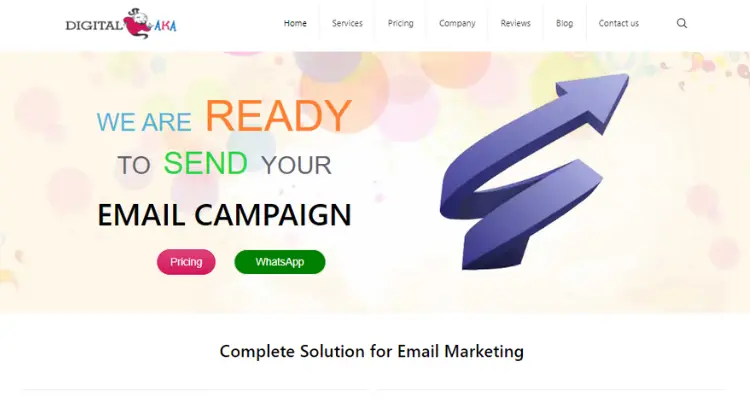
Its user-friendly dashboard and affordable pricing make it a good choice for startups, small businesses, and digital marketers. With features like automation, email templates, and delivery tracking, Digitalaka ensures that your messages reach the inbox safely and quickly. It’s a reliable option for businesses looking to manage both types of emails easily.
Features Provided by DigitalAka:
- High Deliverability: Intelligent infrastructure ensures your emails land in the inbox, no more get stuck in spam.
- Real‑Time Analytics: Track opens, clicks, bounces, and delivery rates instantly to see how your campaigns perform.
- Mail Automation: Set up drip campaigns, welcome sequences, and event-based triggers to engage customers over time.
- A/B Testing: Automatically test and optimize subject lines or content to boost performance.
- Segmentation & Personalization: Segment your recipients and personalize messages based on their behavior, location, purchase history, and more.
- Dedicated IP & DKIM/SPF Support: Helps build your brand’s trust with email servers, improving overall deliverability.
- Scalable Pricing Model: Choose the right plan based on volume, perfect for small startups or growing businesses.
2. Brevo:
Brevo is a trusted Email Marketing Service provider in India that supports both transactional and marketing emails. It is very easy to use and great for small to medium businesses. With Brevo, you can send order confirmations, password reset emails, and run marketing campaigns like newsletters and promotions.
You get an easy drag-and-drop editor, powerful automation tools, and SMS marketing capabilities. Brevo also gives real-time reports to help you track your email performance. It offers a free plan with basic features, which is great for beginners. If you want an all-in-one email tool, Brevo is a smart choice.
Features Provided by Brevo:
- Email Campaigns- Create and send beautiful marketing emails using a drag-and-drop editor. You can design newsletters, offers, and product updates easily.
- Transactional Emails- Send important emails like order confirmations, password resets, and invoices. These are sent automatically when users take actions on your website.
- Email Automation- Set up automated emails based on user behavior, like welcome emails, cart reminders, or follow-ups, saving you time.
- SMS Marketing: Reach your customers through text messages. Brevo allows you to send promotional and transactional SMS easily.
- Real-Time Analytics: Track who opened your emails, clicked links, or unsubscribed. This helps you improve future campaigns.
3. Amazon SES (Simple Email Service):
Amazon SES is a reliable and cost-effective email service provided by Amazon Web Services (AWS). It is mainly used for sending transactional emails like password resets, order updates, and notifications. However, it also supports bulk marketing emails, making it a good choice for businesses that want one platform for both needs.
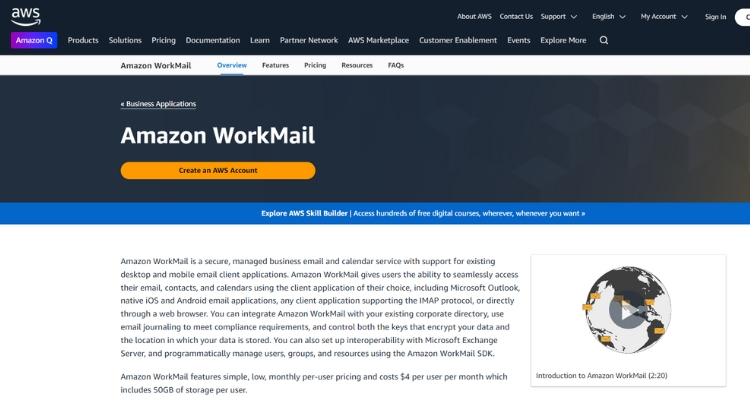
One of the best things about Amazon SES is its high deliverability. Emails sent through SES reach inboxes quickly and reliably. It is also highly secure and offers features like DKIM, SPF, and SMTP authentication to protect your domain reputation.
Amazon SES is most suitable for developers and technical users because it works through APIs and SMTP. While it may not have a drag-and-drop editor like other platforms, it gives users more control and flexibility. Overall, Amazon SES is great for businesses looking for a cost-effective and scalable email solution, especially if they are already using AWS services.
Features Provided by Amazon SES:
- High Deliverability: Amazon SES helps your emails reach the inbox, not the spam folder. It uses trusted IP addresses and follows best practices.
- Supports Transactional & Marketing Emails: You can send both important transactional emails (like order confirmations) and promotional emails (like offers and newsletters) from one platform.
- Email Sending via SMTP or API: You can connect Amazon SES to your app or website using SMTP or RESTful API, giving developers full control.
- Email Tracking and Analytics: It offers tools to track open rates, click rates, bounces, and complaints, helping you measure your email performance.
- Email Authentication: Amazon SES supports DKIM, SPF, and DMARC, which help verify your emails and protect against spam or fraud.
- IP Address Management: You can use shared IPs, dedicated IPs, or bring your own IP (BYOIP) for more control over email delivery.
4. Mailjet
Mailjet is a trusted Email Marketing Agency that helps businesses send both transactional and marketing emails from one platform. Whether you want to send order confirmations, password reset links, or promotional campaigns, Mailjet makes it easy.
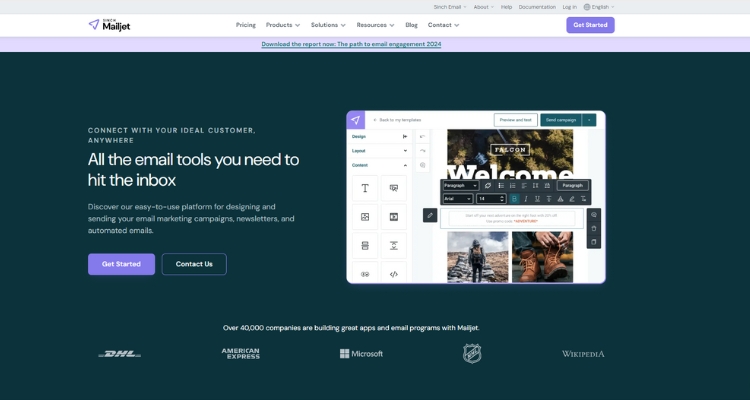
It offers a drag-and-drop email editor, so you can create beautiful emails without needing coding skills. This is helpful for marketing teams who want to design newsletters, offers, and product updates quickly. For transactional emails, Mailjet provides real-time delivery and tracking, so you always know your emails are reaching your users.
One of Mailjet’s best features is team collaboration. Multiple team members can work on the same email in real time. It also supports A/B testing and email automation, which helps improve results by sending the right message at the right time.
Features Provided by Mailjet:
Here are the key features Mailjet offers for both transactional and marketing email needs:
- Drag-and-Drop Email Builder: Create professional emails easily without any coding. Perfect for marketing campaigns and newsletters.
- Transactional Email Support: Send important emails like order confirmations, password resets, and account alerts with fast and reliable delivery.
- Real-Time Email Tracking: Track opens, clicks, bounces, and delivery status to understand how your emails perform.
- Email Automation: Set up automated email workflows, such as welcome emails or abandoned cart reminders, to engage users on time.
- A/B Testing: Test different email subject lines or content to see which version performs better.
Conclusion:
Now you know the real difference between transactional emails and marketing emails. While both may look similar in your inbox, they play very different roles. Transactional emails are all about giving helpful information after someone takes action, like confirming a payment or resetting a password. They build trust and keep the customer informed.
Marketing emails, on the other hand, are about promoting your business, sending updates, and encouraging people to take the next step, like buying a product, signing up for a service, or visiting your website.
Understanding how each type works can help you plan better email strategies. If you mix them up, you might confuse your audience or even break email rules. But when used correctly, both can help grow your brand, improve customer experience, and increase sales.
FAQ:
What is a transactional email?
A transactional email is sent to a user after they do something, like sign up or make a purchase.
What is a marketing email?
Marketing emails help promote a company’s products, services, or deals to a large audience.
Are transactional emails promotional?
No, transactional emails are only for sharing important information, not promotions.
Do I need consent from users to send transactional emails?
No, you don’t need extra permission for transactional emails because they are sent based on the user’s actions.
Do I need permission to send marketing emails?
Yes, marketing emails should only be sent after getting the user’s approval.
Can I add promotions in a transactional email?
It’s not recommended. Promotional content in transactional emails may go to the spam folder.
Which email type has a higher open rate?
Transactional emails usually get higher open rates because people expect them and they contain important information.
What are examples of transactional emails?
Password reset emails, order confirmations, and account alerts.
What are examples of marketing emails?
Newsletters, discount offers, product launches, and event invitations.
Can I use the same email platform for both types?
Yes, but it’s better to segment them properly to follow best practices and avoid deliverability issues.